
A health check tells you how an instance looked on the day it ran, whether that is Nexus Health on the first of the month or a partner's assessment before each release. It says nothing about the contractor given admin on a Friday afternoon to fix a stuck integration, the hotfix that changed an access control rule on incidents, or the certificate behind an outbound integration that ran out over a long weekend. The next scan will catch the certificate, after the integration has already stopped. If the contractor's admin was removed again on Monday, no scan will show it was ever there.
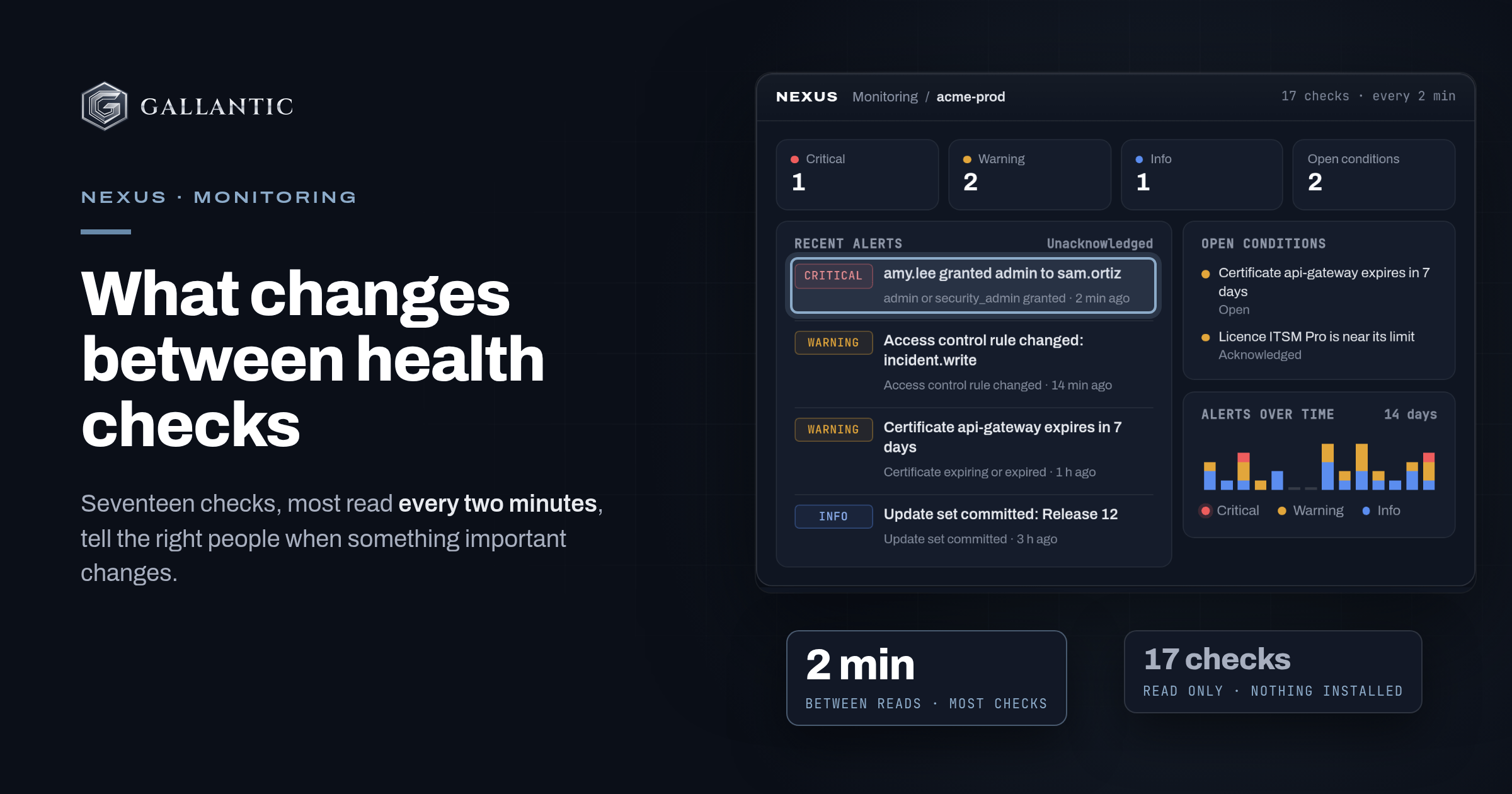
ServiceNow records nearly all of this as it happens. Nobody is reading those records continuously, though, and the person who would care is rarely the one who happens to open the right list. Monitoring, the sixth Nexus module, is available from today. It reads those records between health checks and emails the people you choose for each instance when something important changes, most of it within minutes.
The people and instance names in the examples below are made up.
Access you can account for
The contractor in the first paragraph would have been reported on Friday afternoon, minutes after the grant. The alert reads "amy.lee granted admin to sam.ortiz", naming who received the role and who granted it, and from it your security lead can check whether sam.ortiz still holds admin right now and whether it came directly or through a group. If admin or security_admin is ever removed without an alert having reported the grant, the removal itself is raised as critical, so someone still learns that it was held.
New OAuth applications, changes to the security properties Nexus Health assesses, edits to access control rules, impersonation and privilege elevation are reported the same way, each with the person who did it. Alerts are kept for 12 months by default, long enough to answer an auditor who asks who was given admin last quarter and by whom.
Who changed what
When something behaves differently after a release, the release manager can see what changed, and who changed it, before opening ServiceNow. Configuration changes and committed update sets are reported as they land, with who made them, and plugin and application installs and platform upgrades are reported too. Changes one person makes together arrive as one alert: an update set of forty-eight changes is one email, and a fix someone made by hand that week still shows up on its own.
Renewals with a month's notice
The people looking after an instance hear about a certificate a month before it expires and again the week before, early enough to renew it as a planned task. If one does run out, that is a critical alert. Whoever owns the ServiceNow contract hears when a subscription gets close to what was purchased, again if it goes over, and when its term has two months left, which leaves time to act before the renewal date.
When something stays down
The platform team hears about an application node or MID server that stays down, or an outbound integration that keeps returning errors, while it is still happening rather than from the users it affects. The alert closes itself once the problem clears, and a routine restart sends nothing. If the same fault comes back within six hours, the earlier alert reopens with its history, which shows the team how often it has happened.
How much email it sends
When a single release sends dozens of emails, people start filtering the sender, and the next admin grant goes into the same folder. Switching Monitoring on doesn't email anyone about conditions that were already there; they are recorded in Nexus instead. After that, each instance has its own recipients and its own lowest severity worth an email, so a production instance can email warnings while a development instance only emails what is critical. A condition that keeps coming back is emailed at most once an hour, and someone who leaves the team stops getting alerts once their account is deactivated or they lose Monitoring or access to that instance.
Acknowledging an alert shows the rest of the team who has it in hand. Once acknowledged, a condition you have decided to live with, such as an old certificate that shipped with the platform, can be ignored with a note while every other certificate is still watched.
How Nexus Monitoring works
Monitoring is part of Nexus and uses the ServiceNow connection you already have there. Seventeen checks cover security, change, operations and licensing; most read every two minutes, certificates hourly and licenses daily. Nothing is installed on the instance and nothing is written to it, and each check reads only the short list of fields it needs. It can run inside Nexus or on a Nexus worker in your own network, and if it can't read an instance, or its watcher stops reporting, that raises a critical alert of its own.
Setup is per instance, from its connection in Nexus: you pick the checks, who is emailed and from which severity, and who can see the alerts. From then on, alerts appear in Nexus and in those inboxes, each with a history of who acknowledged or ignored it and when. The Monitoring page lists every check, and the other five Nexus modules cover what a scheduled scan can tell you about the same instance.
If you'd like to see it on one of your own instances, get in touch and we'll turn it on with you and go through the first alerts together.